
Multilingual for U.S. Salon/Studios
Your U.S. Salon/Studio speaks your clients’ language.
Clients book in the language set on their phone. You manage in the language you prefer. Scheduling, online booking, finances and marketing in one app.
See how it works in the video below
No more problems with...
Appointments scattered across many messages.
Clients trying to book outside business hours.
Income and expenses noted in different places.
The same Salon/Studio details, sent over and over.
Lumora helps organize all of it in one place.
Multilingual
Your clients book in their language. You manage in yours.
For your clients
They see the booking page in the language set on their phone: Portuguese, English or Spanish.
For you
Choose the language of your management experience in the app.
See the same Salon/Studio page in:
Catalog services and buttons follow the language. Services you type yourself appear as you wrote them.
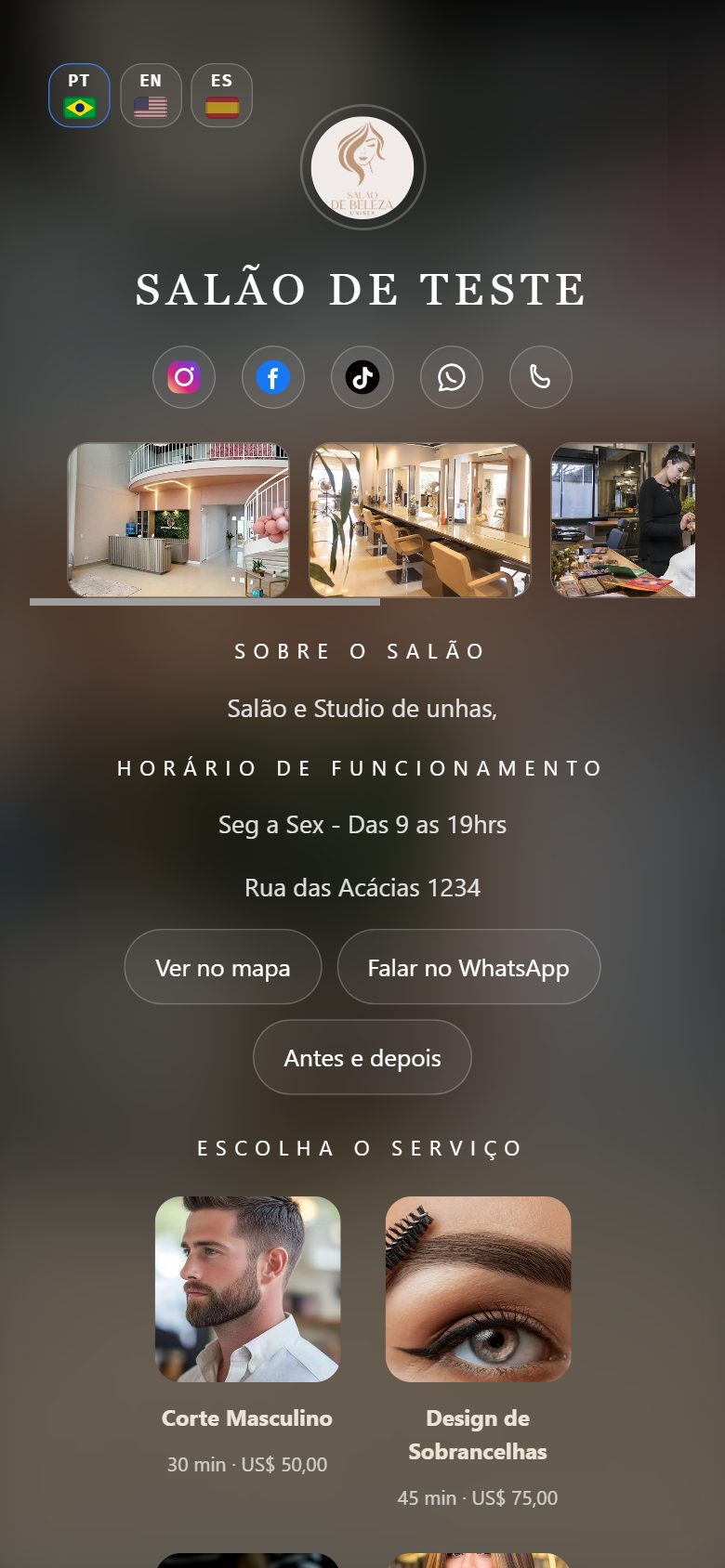
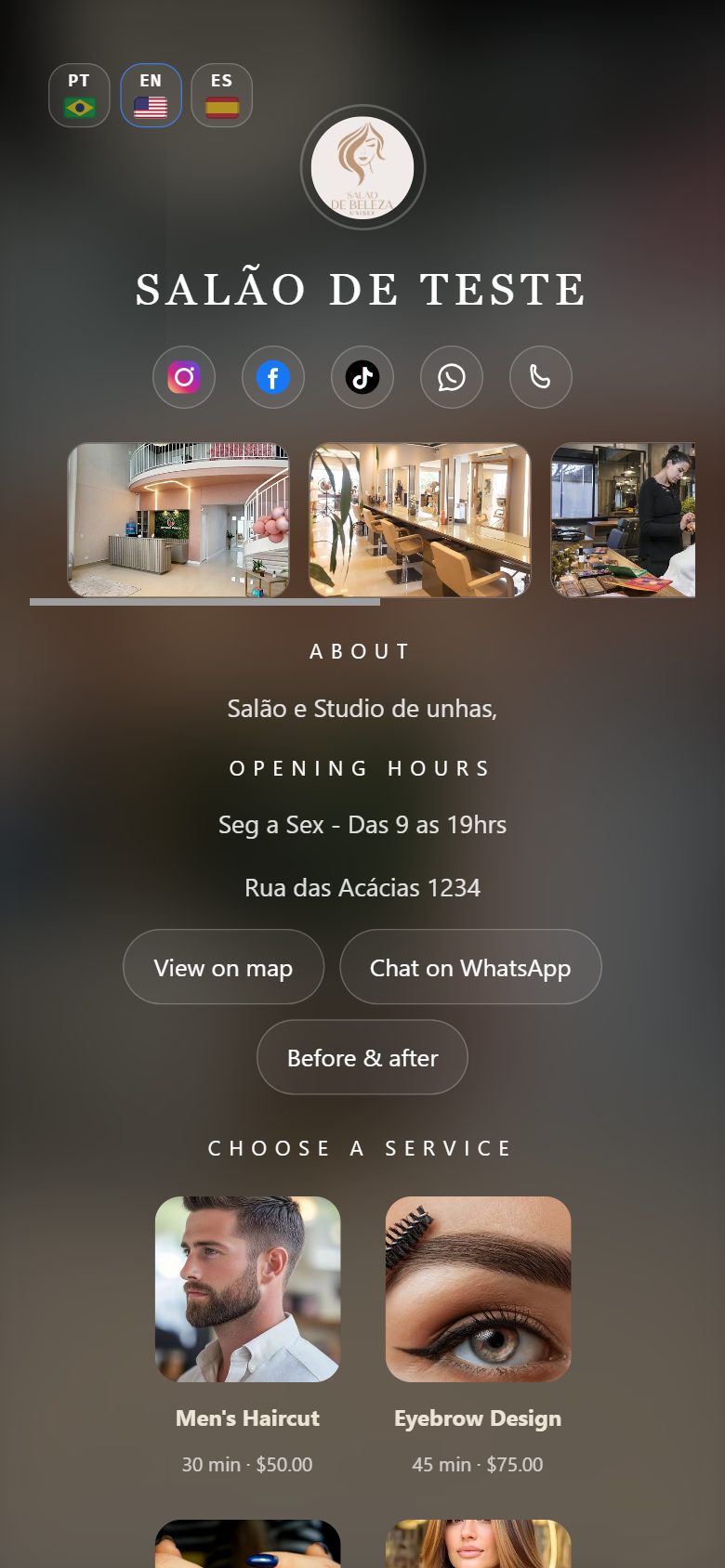
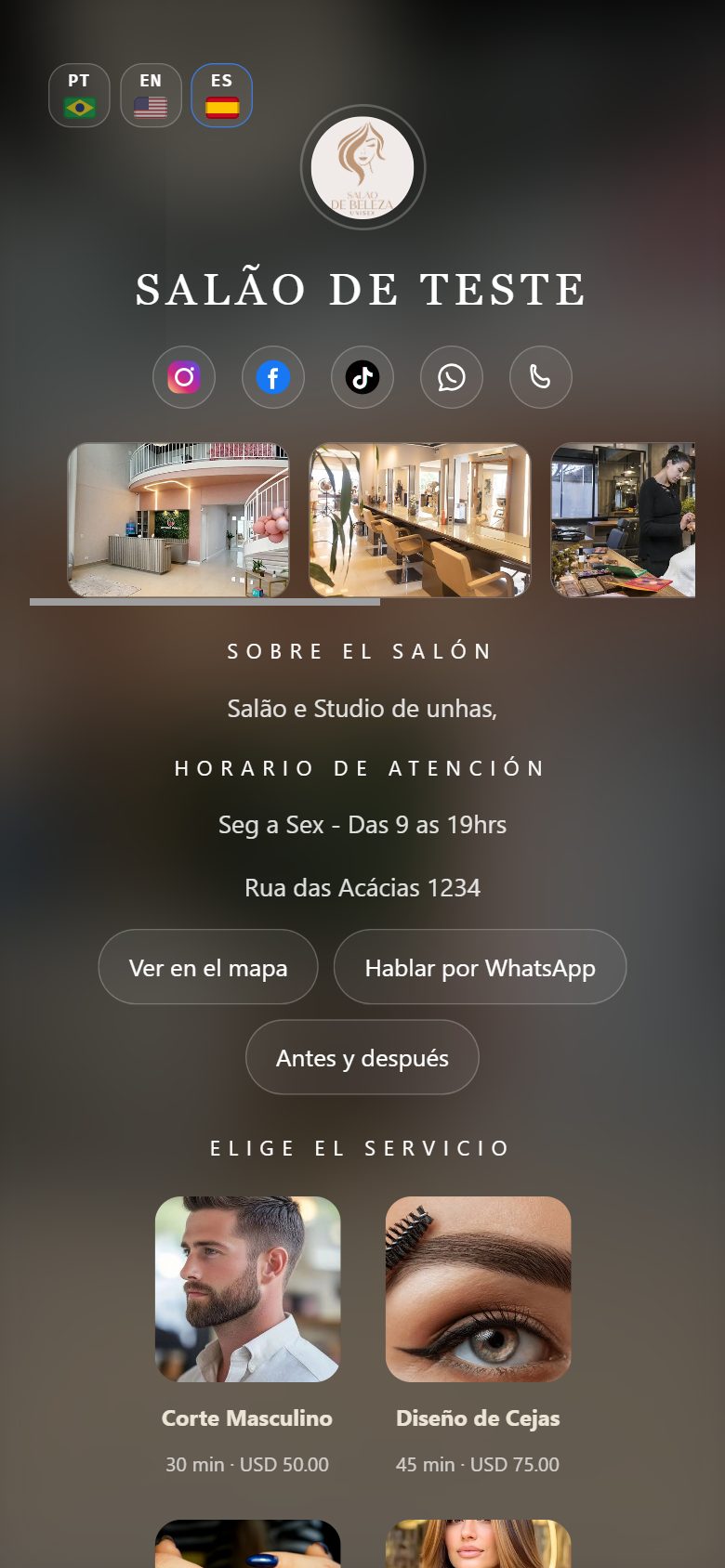
Salon/Studio
Everything you set up in the app — and what it brings to your Salon/Studio
Follow the Settings tab step by step: each function, with the benefit it delivers.
- Settings tab
Everything about your Salon/Studio in one place
It is the checklist to get everything ready: Salon/Studio details, services, professionals, before & after and your link. See what each function brings you.
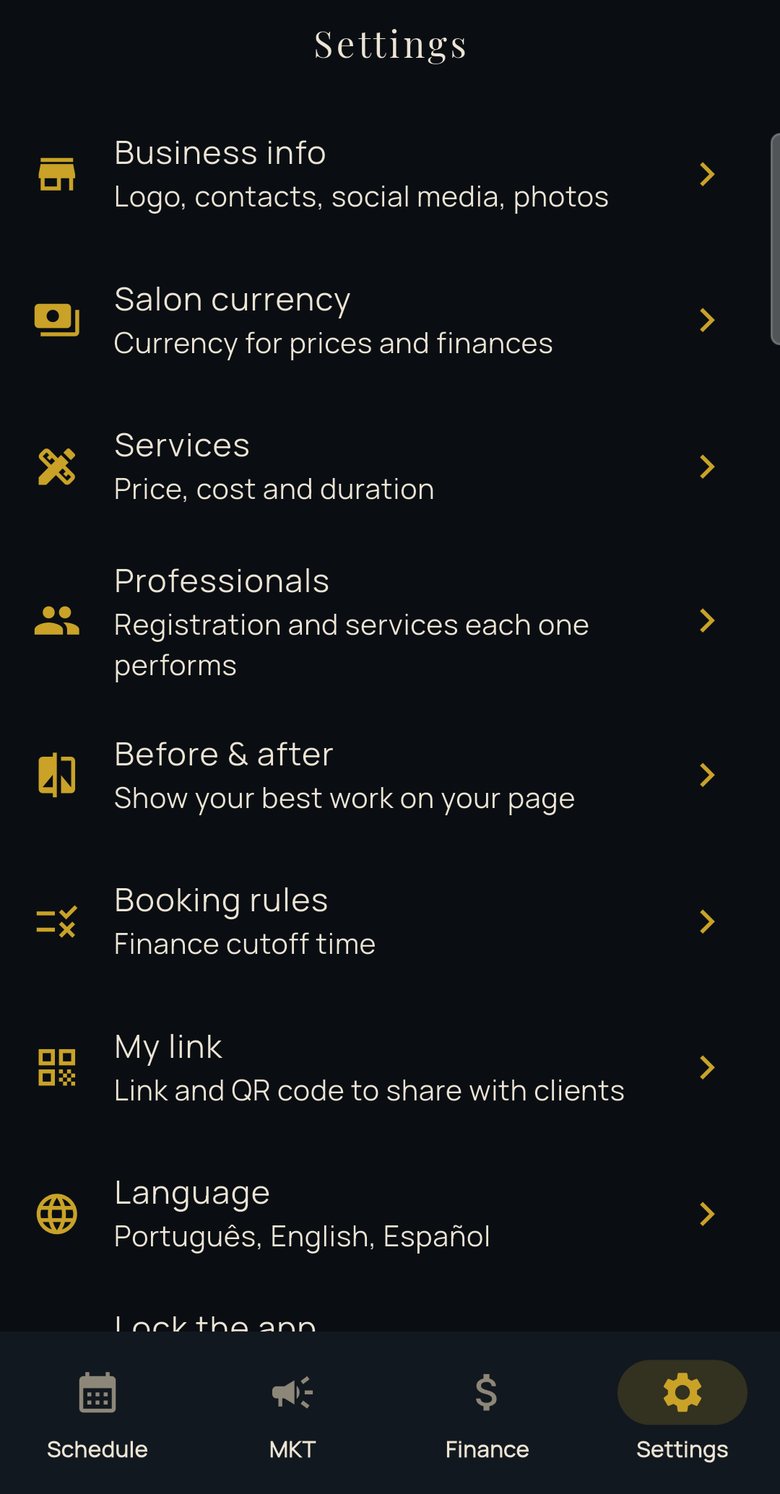
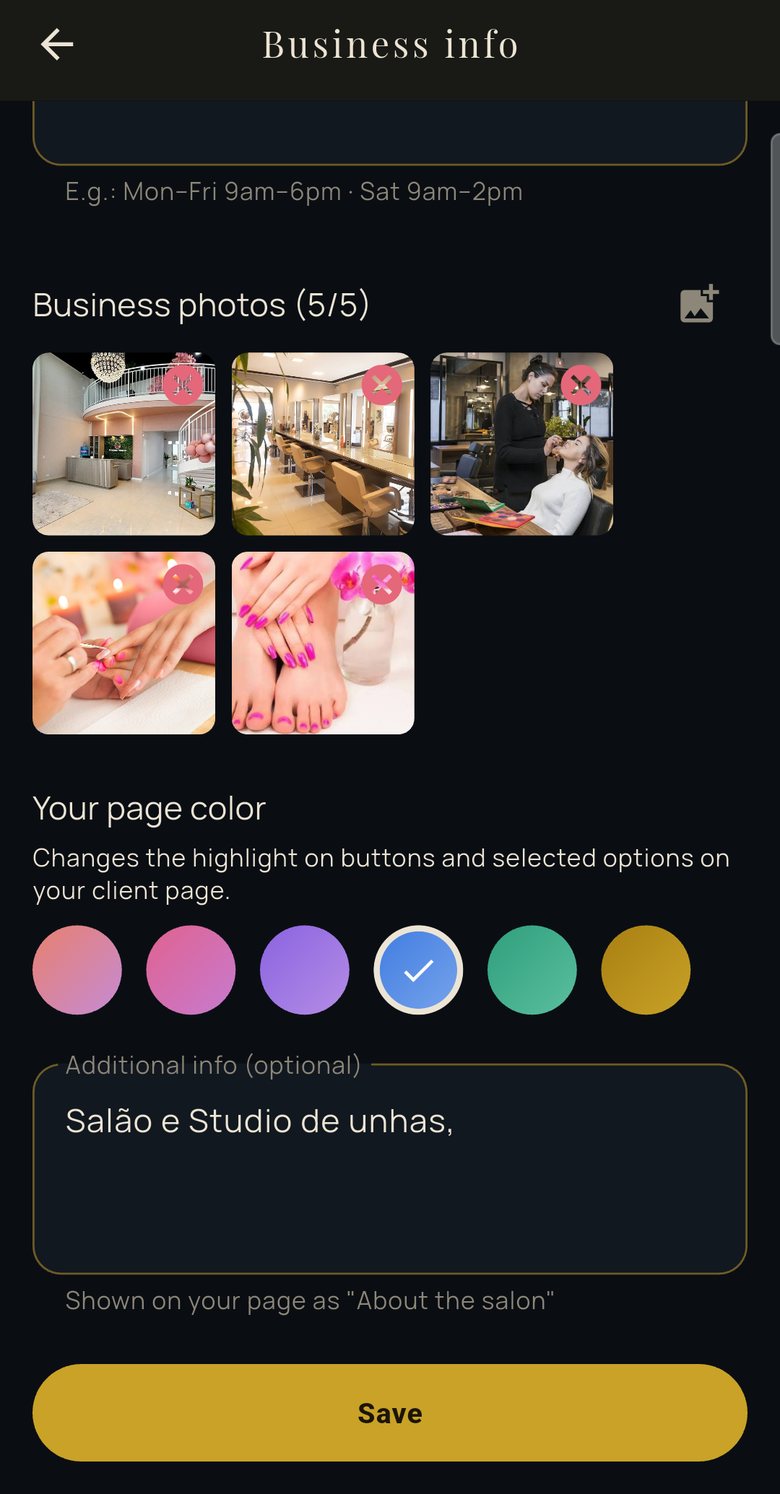
- Salon/Studio details
Your storefront, ready in minutes
Logo, photos, opening hours, address with map, WhatsApp and social links. It is what clients see on your page — and it helps them trust you and find you.
- Services
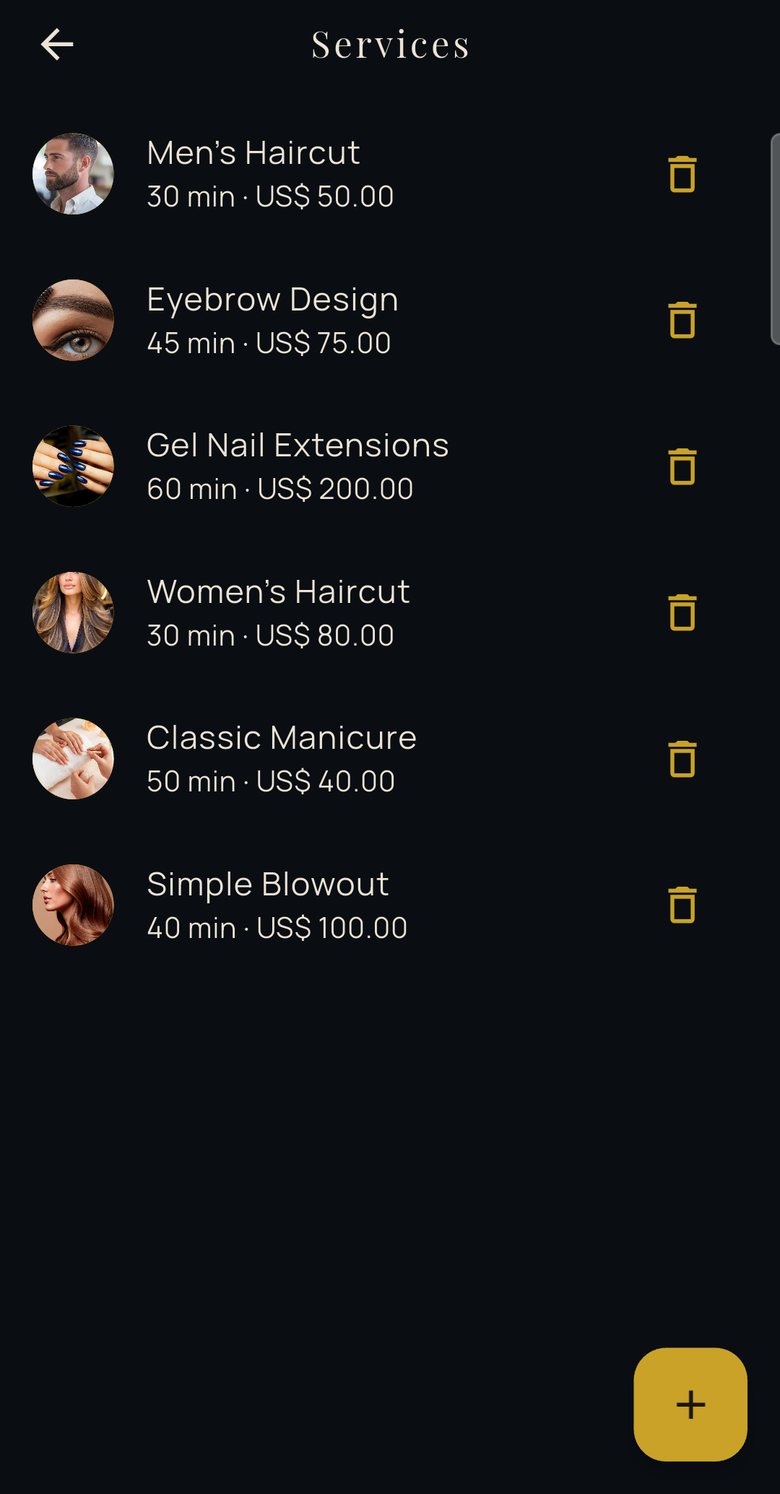
Ready-made catalog, with photo and price
Pick ready-made services or create your own, with duration, price and photo. Clients choose seeing exactly what you offer.
- Professionals
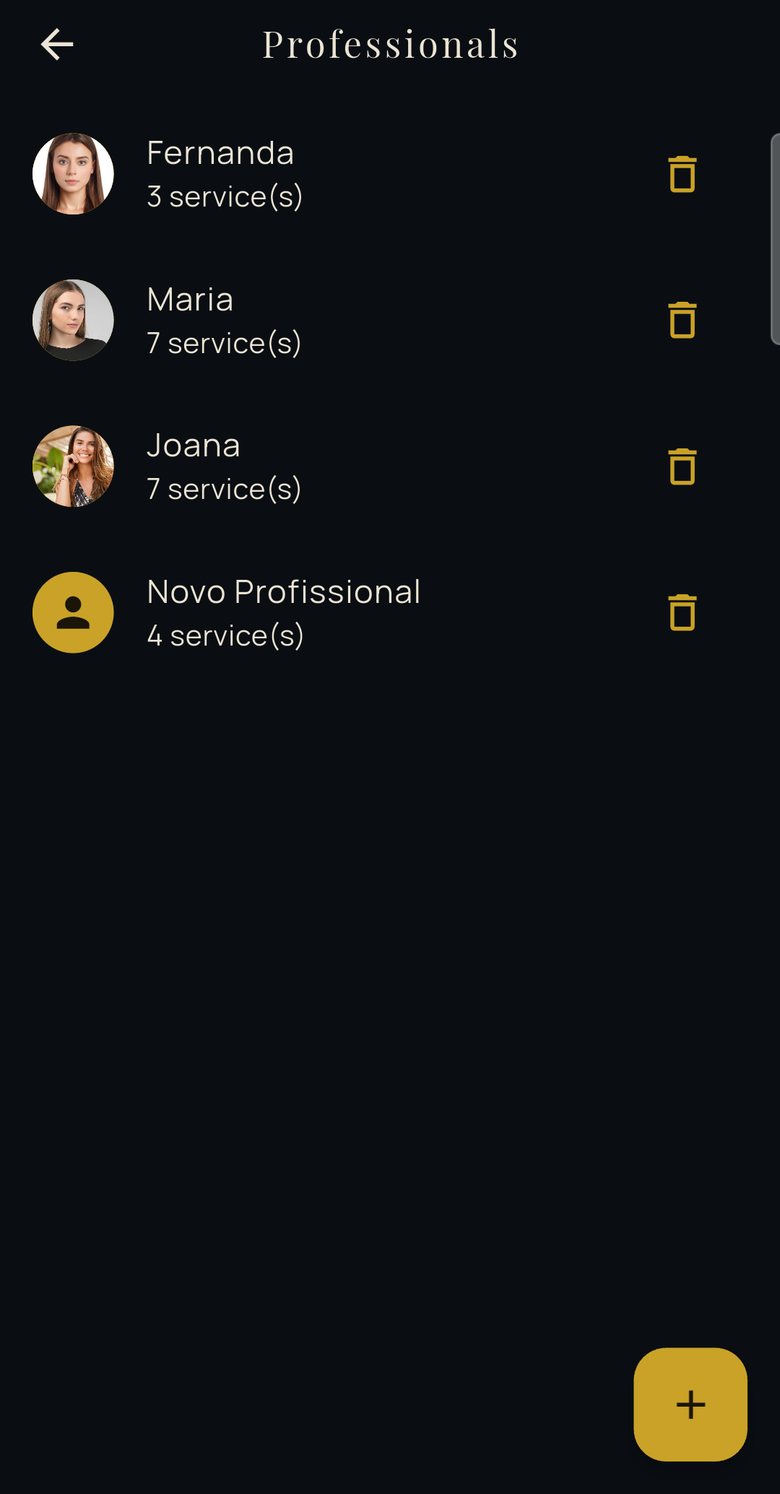
As many as you need, each with their own calendar
Add professionals with no limit and set the services and working days and hours of each one. Clients choose the professional they prefer, or leave the choice to the Salon/Studio.
- Before & after
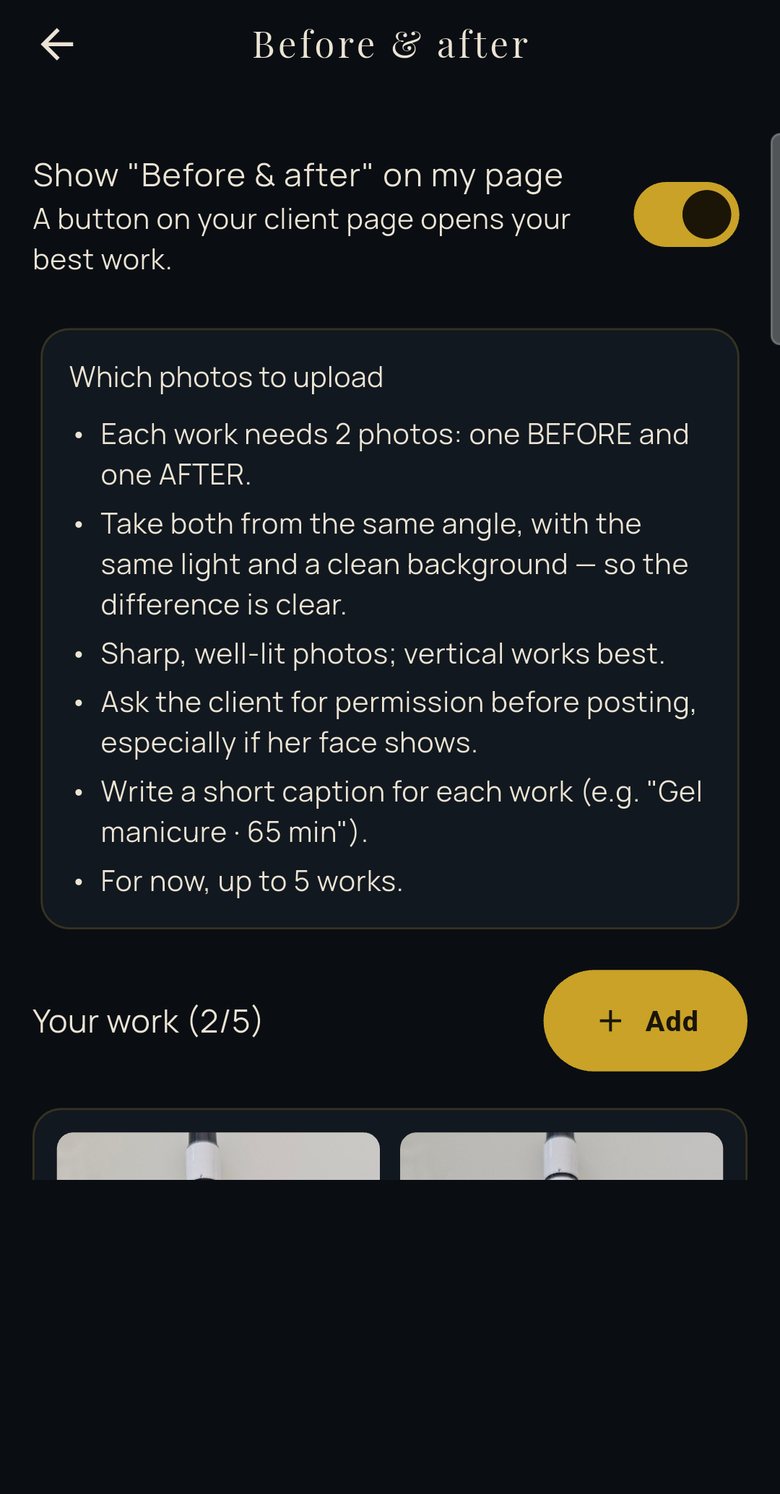
Show off your best work
Upload your work with a before photo, an after photo and a caption. They appear on your page, and you can also create before-and-after images to share on social media.
- Your Salon/Studio in one link
A link and a QR code to promote it
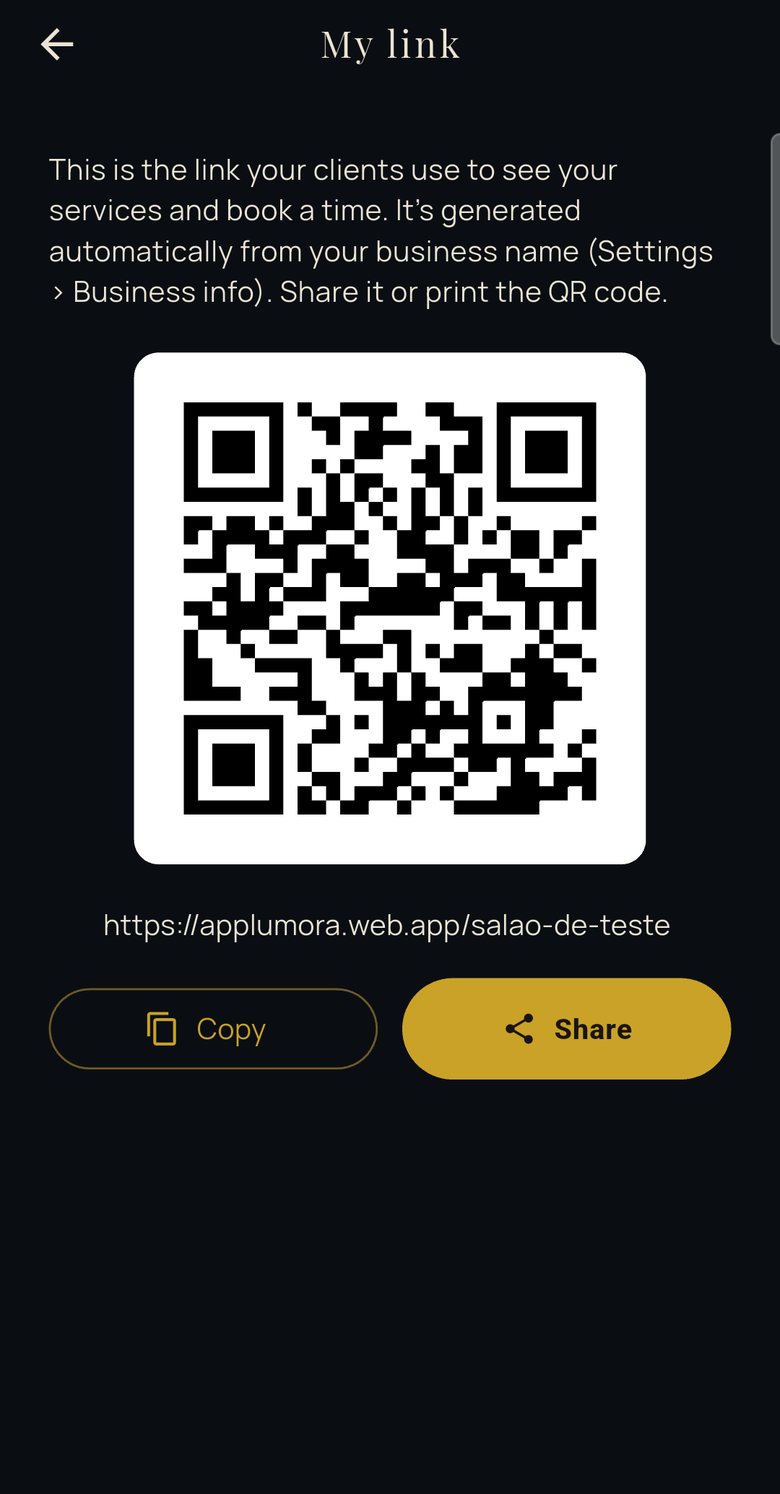
The link is created automatically from your Salon/Studio name. Share it on social media and WhatsApp, or print the QR code and keep it at the front desk.
- Language
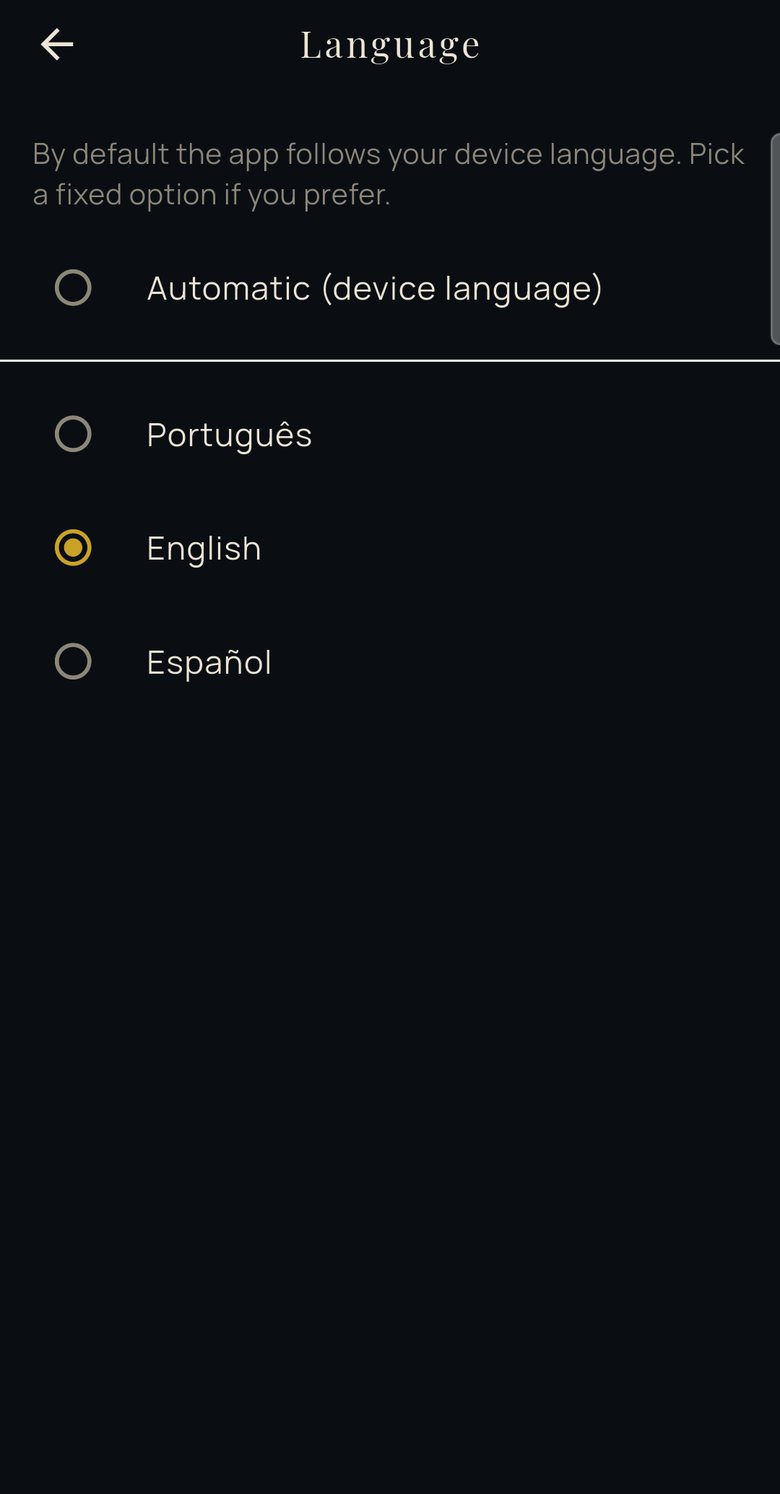
Manage in the language you prefer
Choose Portuguese, English or Spanish to use the app. Your clients still see the booking page in the language set on their phone.
- Scheduling
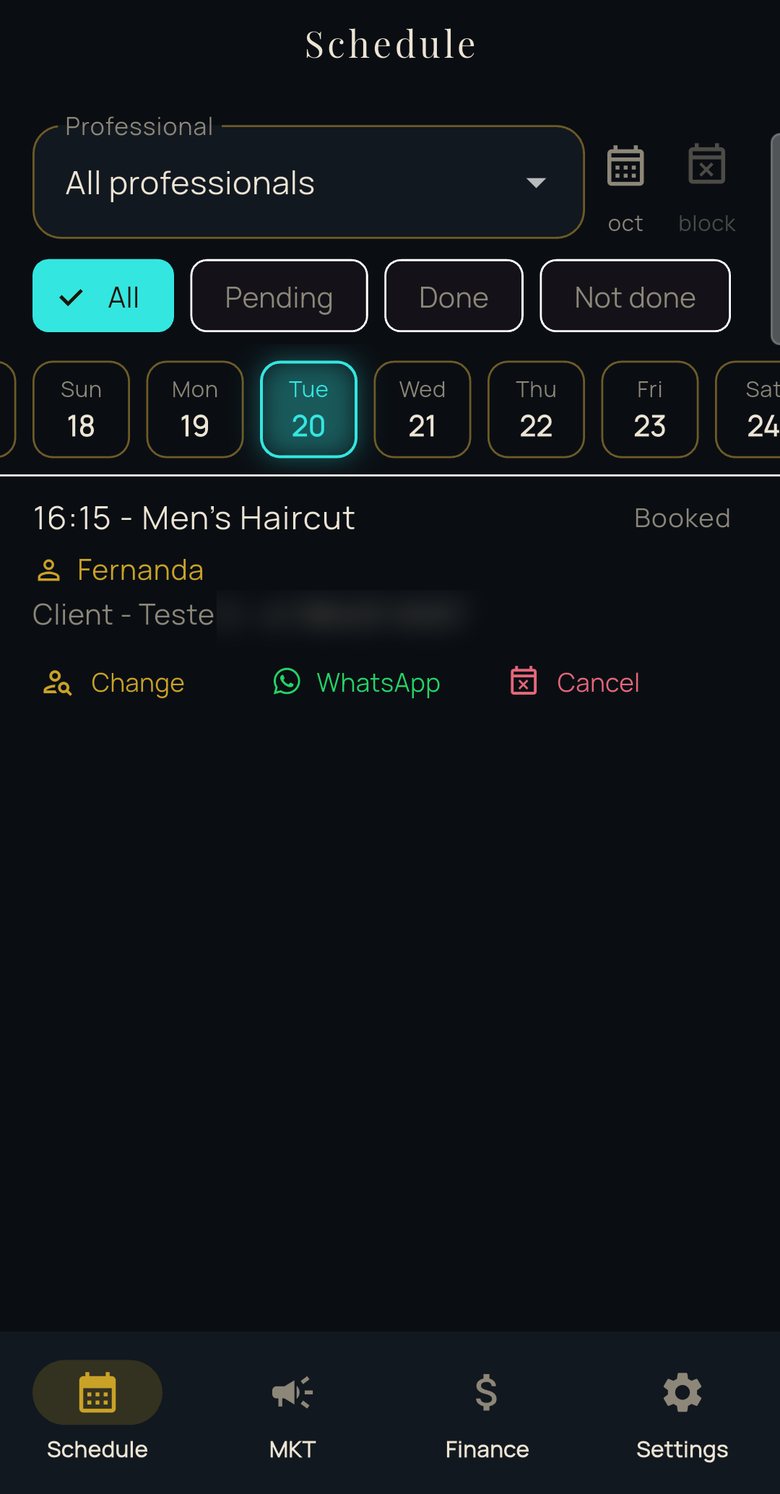
Every professional has their own calendar
See each professional’s day and month, with services and times in one place.
- Finances
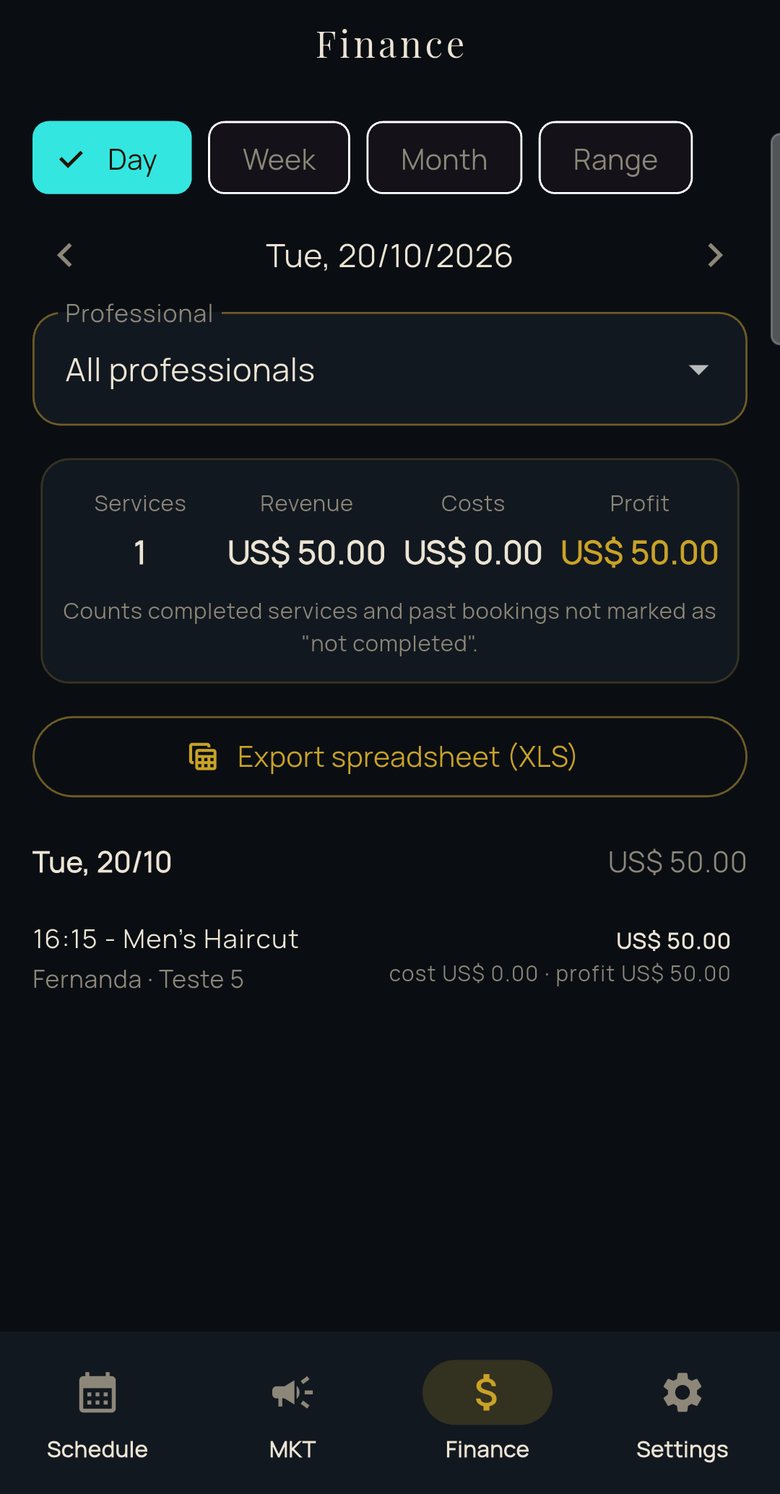
Money in and money out, made clearer
Follow your Salon/Studio’s activity and export a spreadsheet whenever you need one.
Clients
Your client’s journey: from link to calendar
Four simple steps, no app to install and no account to create. Each one designed to be quick for whoever is booking.
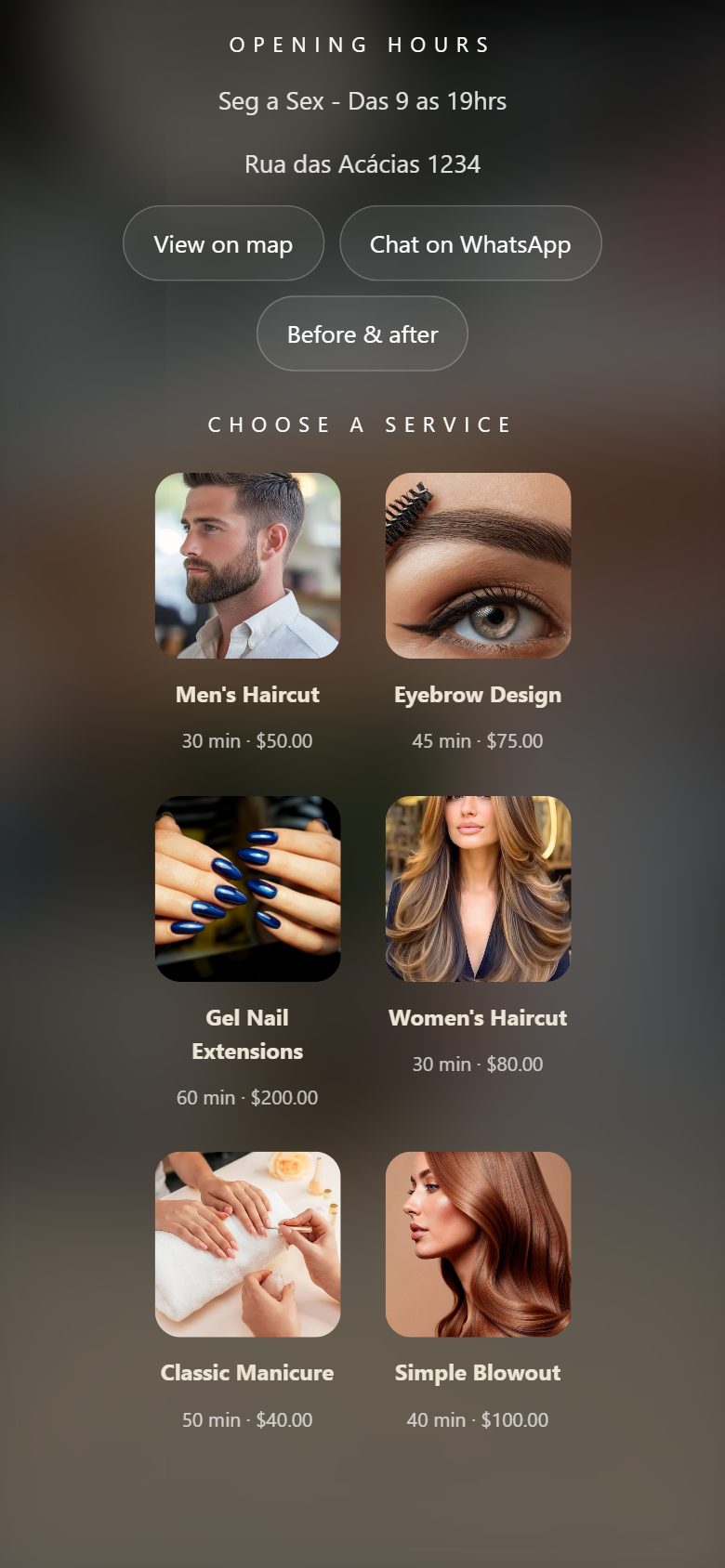
- Step 1
Picks the service
Sees the photo, duration and price of each service before deciding.
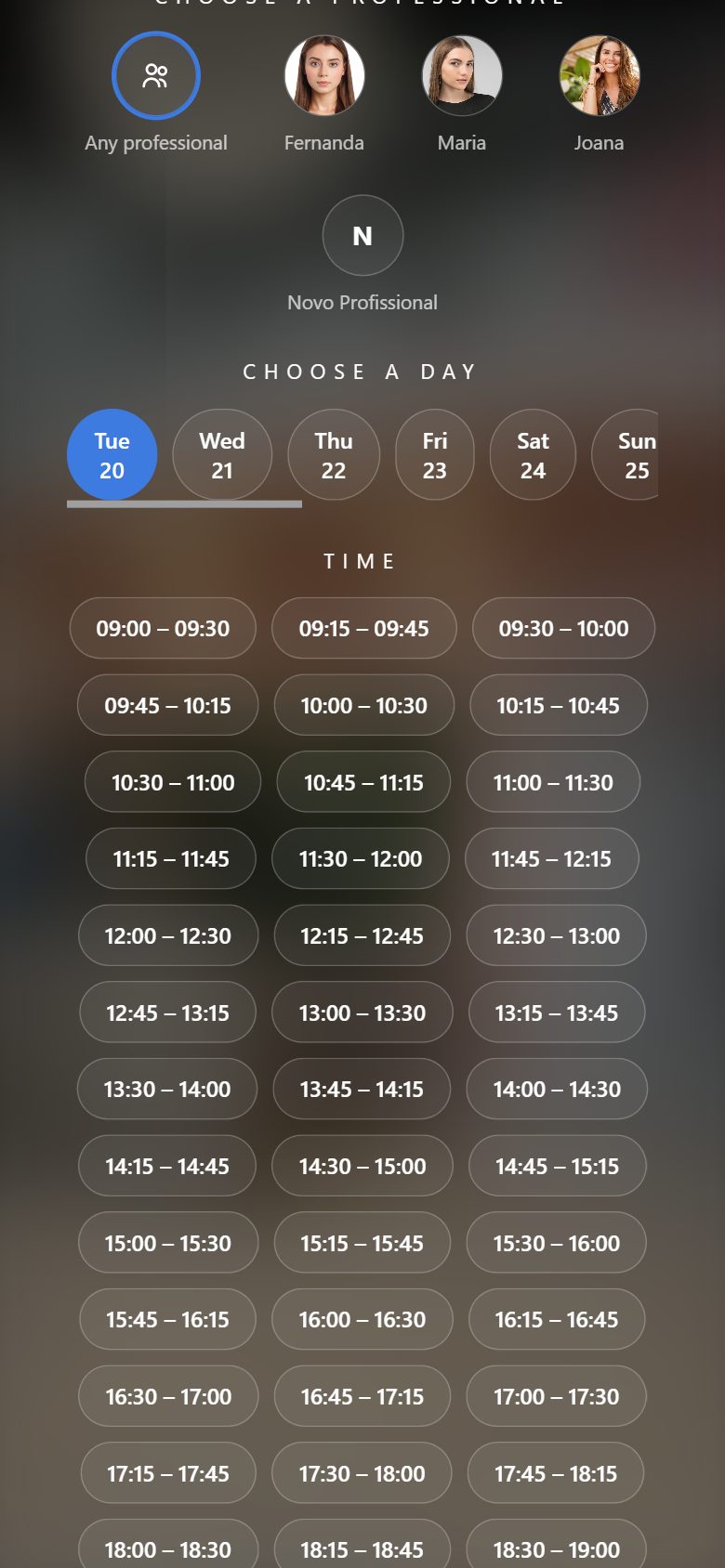
- Step 2
Picks the professional, day and time
Chooses who they prefer, or lets the Salon/Studio decide. Only free times show up, sized to fit each service.
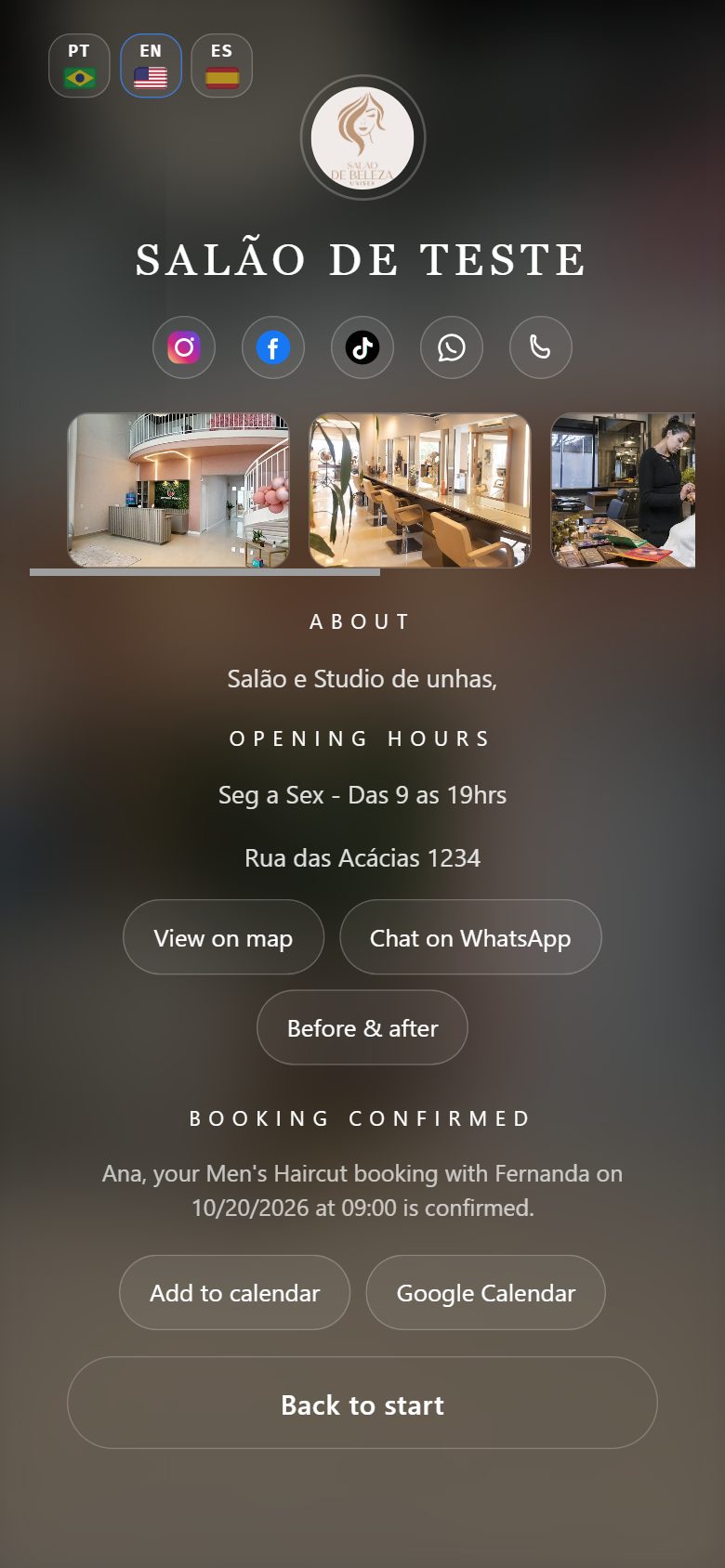
- Step 3
Confirms
Enters name and phone and that is it: no app to download, no account to create.
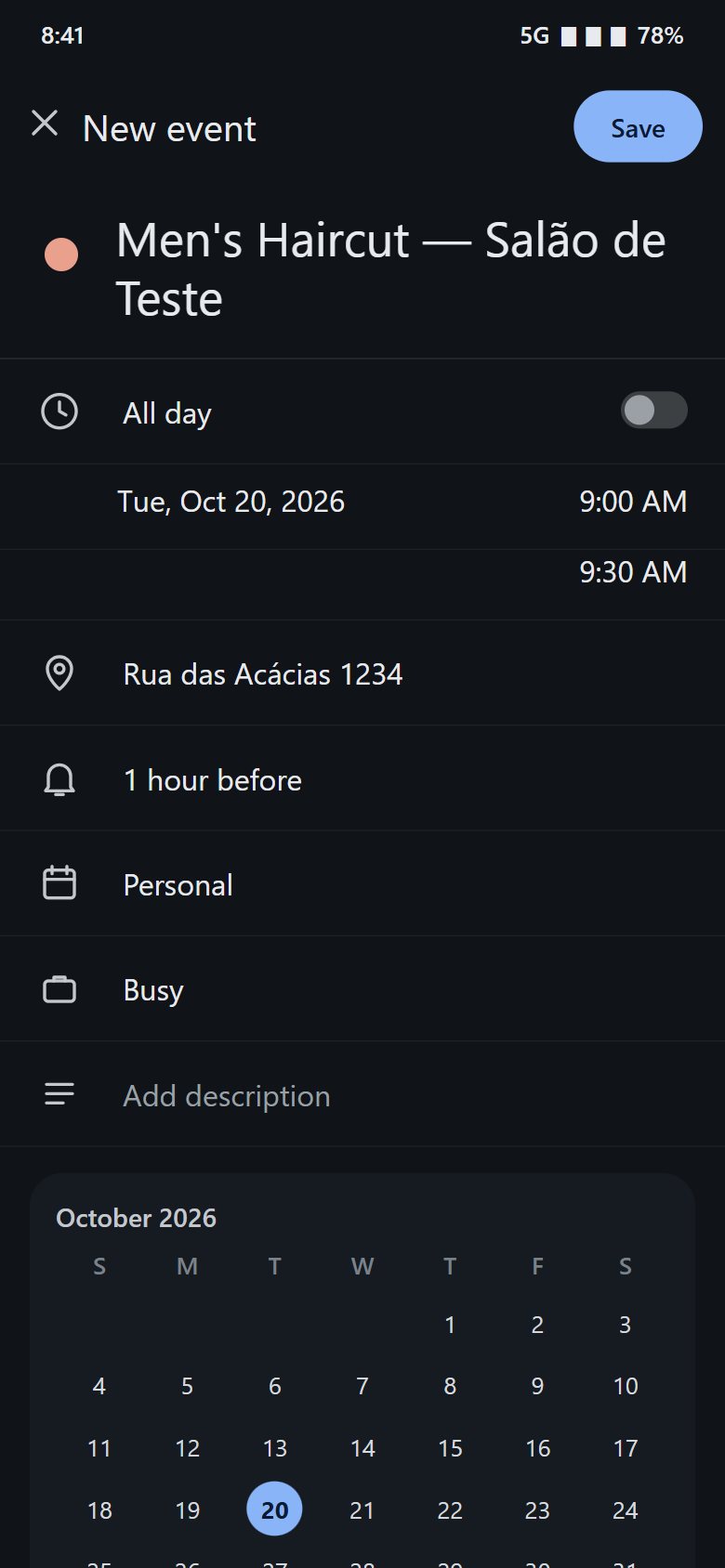
- Step 4
Saves it to the phone calendar
With one tap, the time goes to the phone’s calendar, ready to save — so clients don’t forget.
How it works
From sign-up to a full calendar in three steps
Set up your Salon/Studio
Add your details, services and professionals.
Share your booking page
Every Salon/Studio gets its own link, with a QR code, to send to clients.
Manage it from your phone
See your Salon/Studio’s calendar and finances wherever you are.
Who it is for
Built for Salon/Studios serving Brazilian — and American — clients in the U.S.
See it working
Lumora in action
Pricing
One simple plan, no surprises
$29.90/month
- Unlimited professionals
- Scheduling and online booking
- Financial tracking
- Marketing tools
- Salon/Studio page with link and QR code
- 7-day free trial, no card needed
The subscription is billed and canceled through Google Play or the App Store. Taxes and local currency may vary: check the final price in the store.
Salon/Studio in Brazil?
See the page for Salon/Studios in Brazil
The same app, priced in reais and without the languages part. (In Portuguese.)
FAQ
Common questions
What is Lumora?
It is an app for scheduling, online booking and financial tracking for beauty and nail Salon/Studios.
Do clients need to install anything to book?
No. Clients use your Salon/Studio’s booking page, which opens in their phone’s browser. Only you, who manage it, use the app.
Does it work on Android and iPhone?
Yes. Lumora is on Google Play (Android) and the App Store (iPhone). Availability may vary by region: check your store.
Can I add more than one professional?
Yes. The plan allows unlimited professionals, each with their own services and working hours.
Can I customize services and hours?
Yes. You add services with name, duration, price and photo — from a ready-made catalog or from scratch — and set each professional’s working hours.
How are finances organized?
Lumora records income and expenses so you can follow the business activity, and lets you export the data as a spreadsheet.
Do clients pay through the app?
Lumora does not charge clients when they book. How the service is paid for stays between you and your client.
Which languages does the app offer?
Portuguese, English and Spanish. Clients book in the language set on their phone, and you choose the language you manage in.
Are services shown translated to clients?
Services you pick from the ready-made catalog appear in the client’s language. Services you type from scratch appear exactly as you wrote them.
How much does it cost?
$29.90 per month, with unlimited professionals. There is a 7-day free trial inside the app, no card required. The final price, with taxes and local currency, is shown in your store.
How do I cancel?
The subscription is managed by Google Play or the App Store, and you can cancel at any time from your store account settings.
Where do I find support and the privacy policy?
Contact the team at auradev.app@gmail.com. The privacy policy is available at aura-dev-app.com/#privacy.
Organize your U.S. Salon/Studio with Lumora
Start organizing your Salon/Studio’s daily routine.
Android and iOS — please check availability in your region.
Prefer to talk to us?
Have a question? Talk to us.
Email the team